
Graphic design has changed dramatically with the rise of artificial intelligence. Tasks that once required hours of manual work can now be completed in minutes using AI-powered design tools.
The best AI tools for graphic designers in 2026 help creative professionals generate images, improve productivity, and streamline design workflows. Today, graphic designers use AI to generate images, remove backgrounds, create illustrations, improve photos, generate design ideas, and automate repetitive creative tasks. Instead of replacing designers, AI is helping them become more productive, creative, and efficient.
Whether you are a freelance designer, social media creator, branding expert, marketing professional, or agency owner, AI tools can help you deliver better results while saving valuable time.
If you are new to AI technology, you may also want to explore our What Is Artificial Intelligence? The Complete Beginner’s Guide to AI before diving into specialized design tools.
In this guide, we will explore the best AI tools for graphic designers in 2026, compare their features, advantages, limitations, and ideal use cases to help you choose the right solution for your creative workflow.
Why Graphic Designers Are Using AI More Than Ever
AI has become an essential part of modern design workflows. Designers are no longer using AI only for image generation. Today, AI helps with brainstorming, editing, branding, content creation, and productivity. Many of the best AI tools for graphic designers in 2026 are designed to automate repetitive tasks while improving creativity.
Some key benefits include:
- Faster design workflows
- Better creative inspiration
- Automated image editing
- Improved productivity
- Reduced repetitive work
- Faster content creation
- Enhanced visual storytelling
Many designers combine AI design tools with the solutions featured in our Best AI Image Generators in 2026 guide to create professional-quality visuals more efficiently.
What Makes a Great AI Design Tool?
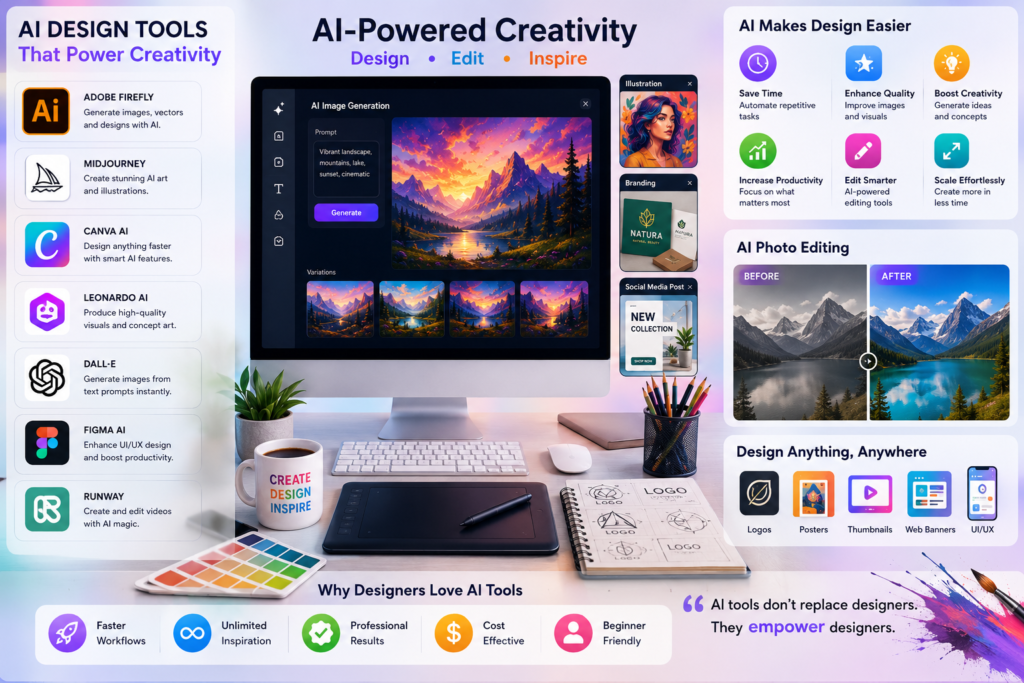
Not every AI tool is suitable for graphic designers. The best platforms provide a balance between creativity, usability, speed, and professional output quality.
Ease of Use
A design tool should be intuitive and beginner-friendly while still offering advanced features for professionals.
Image Quality
Generated visuals should be detailed, high-resolution, and suitable for commercial use.
Editing Capabilities
The best AI design tools allow users to edit, enhance, and customize generated content.
Creative Flexibility
Designers need tools that support different styles, formats, and creative workflows.
Commercial Usage Rights
Before using AI-generated content for clients or business projects, designers should verify licensing and commercial usage permissions.
Quick Comparison of the Best AI Tools for Graphic Designers
| Tool | Best For | Key Strength |
|---|---|---|
| Adobe Firefly | Professional Design | Creative Control |
| Midjourney | AI Art Creation | Image Quality |
| Canva AI | Easy Design Creation | Simplicity |
| Leonardo AI | Game & Creative Design | Custom Models |
| DALL·E | Image Generation | Creativity |
| Ideogram | Text in Images | Typography |
| Runway | Creative Editing | AI Video & Images |
| Krea AI | Real-Time Design | Speed |
| Microsoft Designer | Marketing Graphics | Ease of Use |
| Figma AI | UI/UX Design | Workflow Integration |
Best AI Tools for Graphic Designers in 2026
1. Adobe Firefly
Adobe Firefly is one of the most powerful AI design platforms available today. It integrates directly with Adobe Creative Cloud applications and helps designers generate images, edit content, and create professional visuals quickly.
| Feature | Details |
|---|---|
| Best For | Professional Designers |
| Main Strength | Creative Control |
| Commercial Use | Yes |
| Ideal Users | Designers, Agencies, Brands |
Pros
- Excellent image quality
- Strong integration with Adobe products
- Commercial-friendly content generation
- Professional editing features
Cons
- Premium features require subscription
- Works best within Adobe ecosystem
2. Midjourney
Midjourney is widely recognized for producing some of the highest-quality AI-generated artwork available today.
Artists, illustrators, and graphic designers use Midjourney to create concept art, marketing visuals, posters, branding assets, and creative illustrations.
| Feature | Details |
|---|---|
| Best For | AI Art Creation |
| Main Strength | Visual Quality |
| Style Variety | Excellent |
| Ideal Users | Artists and Designers |
Pros
- Exceptional image quality
- Highly creative results
- Strong artistic styles
- Continuous improvements
Cons
- Learning curve for prompting
- Subscription required
3. Canva AI
Canva AI combines simplicity with powerful AI features, making it one of the most popular design tools for beginners and professionals alike.
Designers who create social media content can also benefit from our Best AI Tools for Social Media Managers in 2026 guide.
| Feature | Details |
|---|---|
| Best For | Quick Design Creation |
| Main Strength | Ease of Use |
| Templates | Extensive |
| Ideal Users | Beginners and Marketers |
Pros
- Very easy to use
- Large template library
- Fast content creation
- Affordable pricing
Cons
- Limited advanced editing
- Less control than professional software
4. Leonardo AI
Leonardo AI has become one of the most popular platforms among graphic designers, game developers, and digital artists. It offers advanced image generation capabilities and allows users to train custom models for specific design styles.
Many professionals use Leonardo AI to create concept art, character designs, product visuals, and marketing graphics.
| Feature | Details |
|---|---|
| Best For | Creative Design & Concept Art |
| Main Strength | Custom Models |
| Editing Tools | Strong |
| Ideal Users | Designers, Artists, Game Creators |
Pros
- High-quality image generation
- Custom AI model training
- Strong editing tools
- Flexible design styles
Cons
- Learning curve for advanced features
- Premium plans unlock best capabilities
5. DALL·E
DALL·E is a powerful AI image generation tool that creates unique visuals from text prompts. It is widely used for brainstorming, concept creation, advertising visuals, and creative experimentation.
| Feature | Details |
|---|---|
| Best For | Image Generation |
| Main Strength | Creativity |
| Ease of Use | Easy |
| Ideal Users | Designers, Marketers, Creators |
Pros
- Easy to use
- Creative image generation
- Fast results
- Supports various styles
Cons
- Limited manual control
- Some outputs may require editing
6. Ideogram
Ideogram stands out because of its ability to generate text accurately within images. This feature is particularly useful for graphic designers creating posters, banners, advertisements, and social media graphics.
| Feature | Details |
|---|---|
| Best For | Typography Design |
| Main Strength | Text Rendering |
| Design Quality | High |
| Ideal Users | Branding & Marketing Designers |
Pros
- Excellent text generation
- Strong poster creation capabilities
- Easy prompt-based workflow
- Fast rendering
Cons
- Fewer advanced editing features
- Limited design customization compared to professional software
7. Runway
Runway is a creative AI platform that combines image editing, video generation, and visual effects. It is widely used by content creators, designers, and creative agencies.
Designers who work with motion graphics may also benefit from our Best AI Video Generators in 2026 guide.
| Feature | Details |
|---|---|
| Best For | Creative Editing |
| Main Strength | AI Video & Visual Effects |
| Collaboration | Good |
| Ideal Users | Designers and Content Creators |
Pros
- Powerful creative tools
- Excellent video capabilities
- Professional-quality outputs
- Innovative AI features
Cons
- Advanced features require practice
- Subscription costs can increase
8. Krea AI
Krea AI focuses on real-time AI image generation and enhancement. Designers use it for rapid ideation, concept development, and visual experimentation.
| Feature | Details |
|---|---|
| Best For | Real-Time Design |
| Main Strength | Speed |
| Workflow | Fast |
| Ideal Users | Creative Professionals |
Pros
- Real-time generation
- Fast workflow
- High-quality visuals
- Useful for brainstorming
Cons
- Smaller ecosystem than competitors
- Advanced features are still evolving
9. Microsoft Designer
Microsoft Designer helps users create marketing graphics, social media content, presentations, and promotional materials using AI-powered templates and automation.
| Feature | Details |
|---|---|
| Best For | Marketing Graphics |
| Main Strength | Simplicity |
| Templates | Extensive |
| Ideal Users | Small Businesses and Marketers |
Pros
- Beginner-friendly
- Fast content creation
- Good template library
- Easy sharing options
Cons
- Limited advanced customization
- Less suitable for complex projects
10. Figma AI
Figma AI brings artificial intelligence into the UI/UX design process. It helps designers create layouts, generate design ideas, automate repetitive tasks, and improve collaboration.
| Feature | Details |
|---|---|
| Best For | UI/UX Design |
| Main Strength | Workflow Integration |
| Collaboration | Excellent |
| Ideal Users | UI/UX Designers |
Pros
- Excellent team collaboration
- Improves design workflows
- Saves time on repetitive tasks
- Strong integration with Figma ecosystem
Cons
- Primarily focused on interface design
- Some features are still evolving
Which AI Design Tool Is Best for Different Design Tasks?
Choosing the right tool depends on your specific design needs.
| Design Task | Recommended Tool |
|---|---|
| Professional Graphic Design | Adobe Firefly |
| AI Art & Illustrations | Midjourney |
| Social Media Graphics | Canva AI |
| Concept Art | Leonardo AI |
| Creative Image Generation | DALL·E |
| Typography & Posters | Ideogram |
| Video & Motion Graphics | Runway |
| Real-Time Design | Krea AI |
| Marketing Materials | Microsoft Designer |
| UI/UX Design | Figma AI |
How AI Is Changing Graphic Design Workflows
AI is not replacing graphic designers. Instead, it is helping them work faster and focus on creativity.
Today, designers use AI for:
- Idea generation
- Mood boards
- Concept development
- Background removal
- Image enhancement
- Branding assets
- Social media graphics
- Marketing materials
- Presentation design
By automating repetitive tasks, designers can spend more time refining concepts and improving visual communication.
Benefits of Using AI Design Tools
| Benefit | Impact |
|---|---|
| Faster Workflow | Reduces design time |
| Better Productivity | Creates more designs in less time |
| Creative Inspiration | Generates fresh ideas |
| Cost Savings | Reduces outsourcing needs |
| Scalability | Supports larger workloads |
| Improved Efficiency | Automates repetitive tasks |
AI design tools have become valuable assistants that help designers deliver projects faster while maintaining quality standards.
AI Tools for Freelance Designers vs Design Agencies
The way freelance designers use AI is often very different from how design agencies use it. Freelancers typically focus on speed, affordability, and productivity, while agencies need collaboration, consistency, and scalability.
Comparison Between Freelancers and Agencies
| Factor | Freelance Designers | Design Agencies |
|---|---|---|
| Budget | Limited | Higher |
| Team Size | Individual | Multiple Designers |
| Main Goal | Faster Delivery | Workflow Management |
| Best Tools | Canva AI, Midjourney, Leonardo AI | Adobe Firefly, Figma AI, Runway |
| Collaboration Needs | Low | High |
AI for Freelance Designers
Freelancers often work with multiple clients and tight deadlines. AI tools help them generate concepts faster, create social media graphics, improve images, and reduce repetitive work.
Popular AI tools for freelancers include:
- Canva AI
- Leonardo AI
- Midjourney
- Microsoft Designer
- DALL·E
These platforms allow designers to deliver professional results without investing in expensive software or large teams.
AI for Design Agencies
Agencies usually manage larger projects involving branding, advertising, social media campaigns, website design, and content creation.
For agencies, collaboration and workflow efficiency are critical.
Common agency tools include:
- Adobe Firefly
- Figma AI
- Runway
- Midjourney
- Canva Teams
These solutions help agencies maintain design consistency across multiple clients while improving productivity.
Common Graphic Design Tasks That AI Can Simplify
Artificial intelligence is transforming how designers approach everyday creative work.
Instead of starting every project from scratch, designers can use AI to automate repetitive processes and focus on creative decision-making.
Tasks That AI Can Simplify
| Design Task | How AI Helps |
|---|---|
| Background Removal | Removes backgrounds instantly |
| Image Enhancement | Improves image quality automatically |
| Social Media Graphics | Creates ready-to-use designs |
| Poster Design | Generates layouts and concepts |
| Logo Concepts | Produces initial design ideas |
| Mockups | Creates product presentations |
| Branding Assets | Generates visual variations |
| Content Graphics | Creates blog and marketing visuals |
Background Removal and Editing
One of the most popular uses of AI is automatic background removal.
Instead of manually selecting and deleting backgrounds, designers can achieve similar results within seconds.
Image Enhancement
AI tools can improve image quality, sharpen details, upscale low-resolution photos, and restore old images.
This is particularly useful for marketing materials and ecommerce graphics.
Social Media Content Creation
Designers working with brands often need large volumes of content.
AI can generate:
- Instagram posts
- Facebook graphics
- LinkedIn banners
- YouTube thumbnails
- Promotional visuals
Businesses that focus heavily on content creation may also benefit from our Best AI Tools for Content Creators in 2026 guide.
Branding and Marketing Assets
AI tools can generate multiple design variations, helping designers explore different visual directions before selecting the final concept.
This improves creative exploration while reducing production time.
Common Mistakes Designers Make When Using AI
AI can be incredibly useful, but it is not a replacement for design thinking and human creativity.
Many designers make mistakes when they rely too heavily on automation.
1. Depending Too Much on AI
AI should assist creativity, not replace it.
The most successful designers use AI as a creative partner rather than allowing it to make all design decisions.
2. Ignoring Brand Consistency
A design may look impressive but still fail to match a client’s branding requirements.
Designers should always review colors, typography, tone, and visual identity before finalizing a project.
3. Using Weak Prompts
The quality of AI-generated designs often depends on prompt quality.
Detailed prompts generally produce better results than vague instructions.
4. Skipping Manual Editing
AI-generated visuals frequently require refinement.
Professional designers typically adjust layouts, typography, spacing, colors, and composition before delivering final work.
5. Forgetting Copyright and Licensing
Before using AI-generated content commercially, designers should understand the licensing policies of the platform they are using.
This is especially important for client projects and commercial branding work.
The Future of AI in Graphic Design
Artificial intelligence will continue to play a larger role in creative industries over the next few years.
Future AI tools are expected to become more collaborative, intelligent, and integrated into professional design workflows.
Real-Time Design Assistance
AI will increasingly provide live recommendations while designers work.
This will help improve layouts, typography, color selection, and visual hierarchy.
Personalized Design Systems
Future tools may learn a designer’s style and generate content that aligns with their preferred visual approach.
Better Creative Collaboration
AI will become a collaborative assistant that supports brainstorming, concept development, and production.
Integration with Video and 3D Design
The boundaries between graphic design, animation, video production, and 3D content creation are becoming increasingly blurred.
Future AI platforms are likely to support all of these creative disciplines within a single workflow.
Designing Smarter with AI in 2026
AI has become an essential tool for modern graphic designers. From image generation and editing to branding, content creation, and workflow automation, AI is helping creative professionals work faster and more efficiently.
However, the best results come from combining artificial intelligence with human creativity. AI can generate ideas and automate repetitive tasks, but designers remain responsible for strategy, storytelling, aesthetics, and communication.
Whether you are a freelancer, agency owner, content creator, or professional designer, the right AI tools can help you improve productivity, explore new creative possibilities, and deliver better results for clients and audiences.
By selecting the tools that match your workflow and goals, you can stay competitive in an industry that continues to evolve rapidly with artificial intelligence.
How to Choose the Right AI Design Tool
With so many AI design platforms available, selecting the right tool can feel overwhelming. The best choice depends on your design goals, experience level, and workflow requirements.
If You Are a Beginner
Beginners should focus on tools that are easy to learn and offer ready-made templates.
Recommended options:
- Canva AI
- Microsoft Designer
- Adobe Express AI
These platforms allow users to create professional-looking graphics without advanced design skills.
If You Are a Professional Graphic Designer
Professional designers usually require greater creative control and advanced editing capabilities.
Recommended options:
- Adobe Firefly
- Midjourney
- Leonardo AI
These tools provide higher-quality outputs and more customization options.
If You Work in Branding and Marketing
Branding specialists often need social media graphics, advertisements, promotional materials, and marketing visuals.
Recommended options:
- Canva AI
- Adobe Firefly
- Ideogram
- Microsoft Designer
These tools help create consistent brand assets and marketing content quickly.
If You Create Concept Art and Illustrations
Artists and creative professionals often need tools capable of generating unique visual concepts.
Recommended options:
- Midjourney
- Leonardo AI
- DALL·E
These platforms are particularly useful for concept development, storytelling, and creative experimentation.
If You Focus on UI/UX Design
Interface designers need tools that integrate smoothly into product design workflows.
Recommended options:
- Figma AI
- Adobe Firefly
These platforms improve productivity while supporting collaboration and design consistency.
Quick Selection Guide
| Your Goal | Recommended Tool |
|---|---|
| Beginner-Friendly Design | Canva AI |
| Professional Graphic Design | Adobe Firefly |
| AI Art & Illustrations | Midjourney |
| Concept Design | Leonardo AI |
| Typography & Posters | Ideogram |
| Marketing Graphics | Microsoft Designer |
| Video & Motion Design | Runway |
| UI/UX Design | Figma AI |
AI and Human Creativity: The Perfect Combination
The ideal solution is not always a single platform. Many designers combine multiple AI tools to build a workflow that balances creativity, speed, and efficiency.
Artificial intelligence is transforming the graphic design industry by helping designers work faster, explore new ideas, and automate repetitive tasks. From AI-powered image generation and photo editing to branding, illustration, and content creation, modern design tools are opening new creative possibilities for professionals and beginners alike.
However, the most successful designers understand that AI is a tool—not a replacement for creativity, experience, and design thinking. The ideal approach is to combine human imagination with AI efficiency to create visually compelling and meaningful designs.
Whether you are a freelance designer, creative professional, content creator, or agency owner, choosing the right AI tools can improve productivity, enhance creativity, and help you stay competitive in a rapidly evolving digital landscape. By adopting the right combination of AI-powered design solutions, you can build smarter workflows and deliver better results in 2026 and beyond.
Frequently Asked Questions About AI Tools for Graphic Designers
What are the best AI tools for graphic designers in 2026?
The best AI tools for graphic designers in 2026 include Adobe Firefly, Midjourney, Canva AI, Leonardo AI, DALL·E, Ideogram, Runway, Krea AI, Microsoft Designer, and Figma AI.
Can AI replace graphic designers?
No. AI can automate repetitive tasks and generate design concepts, but human creativity, design thinking, branding strategy, and visual communication skills remain essential. AI works best as a design assistant rather than a replacement for professional designers.
Which AI design tool is best for beginners?
Canva AI and Microsoft Designer are among the best AI design tools for beginners because they offer easy-to-use interfaces, templates, and AI-powered design assistance without requiring advanced design skills.
Which AI tool creates the highest-quality images?
Midjourney is widely recognized for producing some of the highest-quality AI-generated artwork. Adobe Firefly and Leonardo AI are also excellent choices for professional-quality design and creative projects.
Are AI-generated images safe for commercial use?
It depends on the platform’s licensing terms. Tools such as Adobe Firefly generally provide commercial-friendly content generation, while other platforms may have specific usage restrictions. Designers should always review licensing policies before using AI-generated content for client or business projects.
How can graphic designers use AI effectively?
Graphic designers can use AI for concept development, image generation, background removal, photo enhancement, social media graphics, branding assets, and workflow automation. The most effective approach is to combine AI efficiency with human creativity and design expertise.